


Like a Dragon Infinite Wealth HYPERVISOR-P2P

P2P – ONE FTP LINK – TORRENT
Two larger-than-life heroes, Ichiban Kasuga and Kazuma Kiryu are brought….
ABOUT THE GAME
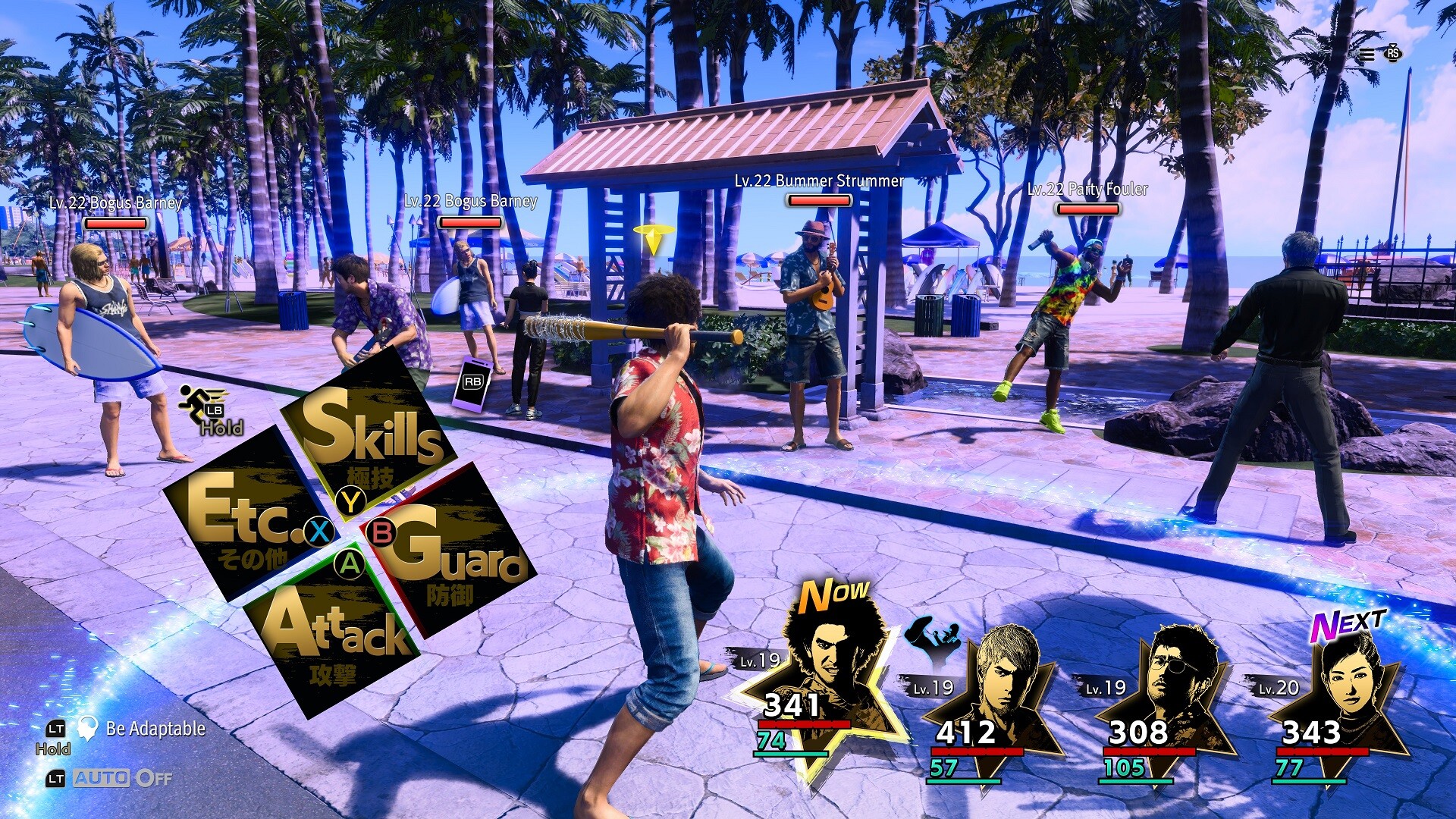
Two larger-than-life heroes, Ichiban Kasuga and Kazuma Kiryu are brought together by the hand of fate, or perhaps something more sinister… Live it up in Japan and explore all that Hawaii has to offer in an RPG adventure so big it spans the Pacific.
Title: Like a Dragon: Infinite Wealth
Genre: Action, Adventure, RPG
Release Date: 25 Jan, 2024
Support the software developers. BUY IT!
• https://store.steampowered.com/app/2072450/Like_a_Dragon_Infinite_Wealth/
• Like a Dragon: Infinite Wealth - Master Vacation Bundle
• Like a Dragon: Infinite Wealth - Assorted Outfit Bundle
• Like a Dragon: Infinite Wealth - Yakuza CD Collection Set
• Like a Dragon: Infinite Wealth - Sujimon & Resort Bundle
• Like a Dragon: Infinite Wealth - Special Job Set
• Like a Dragon: Infinite Wealth - Hero's Booster Pack
• Like a Dragon: Infinite Wealth - Gearworks Crafting Set (Medium)
• Like a Dragon: Infinite Wealth - Gearworks Crafting Set (Large)
• Like a Dragon: Infinite Wealth - Self-Improvement Booster Set (Small)
• Like a Dragon: Infinite Wealth - Self-Improvement Booster Set (Medium)
• Like a Dragon: Infinite Wealth - Self-Improvement Booster Set (Large)
• Like a Dragon: Infinite Wealth - Job Leveling Set (Small)
• Like a Dragon: Infinite Wealth - Job Leveling Set (Medium)
• Like a Dragon: Infinite Wealth - Job Leveling Set (Large)
• Like a Dragon: Infinite Wealth - Leveling Set (Small)
• Like a Dragon: Infinite Wealth - Leveling Set (Medium)
• Like a Dragon: Infinite Wealth - Leveling Set (Large)
• Like a Dragon: Infinite Wealth - Leveling Set (Extra Large)
• Like a Dragon: Infinite Wealth - Legendary Booster Pack
• Like a Dragon: Infinite Wealth - Special Outfit: Hello Work Employee (Ichiban)
How To Play [HYPERVISOR]:
1- Download the archive Like.A.Dragon.Infinite.Wealth.HypervisorAMD.BETA1
2- Prepare the system to run games using a hypervisor:
⟶ Reboot and enter the BIOS, disable Secure Boot as well as virtualization (VT-x on
Intel, SVM or AMD-V on AMD).
⟶ Boot into the system.
⟶ Run Command Prompt as administrator and enter: bcdedit /set testsigning on
(after reboot, a “test mode” message or similar will appear in the bottom-right of
the desktop—this is normal).
⟶ Run Command Prompt as administrator again and enter:
bcdedit /set hypervisorlaunchtype off
⟶ That’s basically it—the system preparation for running games with this kind of bypass
is complete (this is done once).
4- From the downloaded archive, copy the contents of the AFOP folder into the game’s
directory.
5- Run the Command Prompt as administrator and enter the command:
sc create denuvo type=kernel start=demand binPath=C:\Drivers\SimpleSvm.sys
(Make sure to specify your own path to the file SimpleSvm.sys (for AMD) or
hyperkd.sys (for Intel). These files are located in the driver_amd and driver_intel
folders respectively.)
6- In the same Command Prompt, enter the command: sc start denuvo
(After finishing the game, you can enter sc stop denuvo in the Command Prompt to
stop the service.)
7- Launch the game using likeadragon8-hv.exe.exe located at "..\runtime\media"
NOTES:
• We do not advise using this HYPERVISOR method, as it requires disabling certain
security features.
• Use it at your own risk, or wait for a proper release from voice38/RUNE.
• If, after preparing the system, the game still doesn’t launch, the following may help:
Run the command prompt as administrator and enter the command:
bcdedit.exe /set nointegritychecks on
• Disable NX Mode in the BIOS (if your BIOS has this option).
• Also, according to comments from other sources, it became clear that for some people
the game does not start if there is any software installed in the system for using
virtual machines, such as VirtualBox, etc.
Like.A.Dragon.Infinite.Wealth.HypervisorAMD.BETA1 { Download | Download | Download | Download | Download | Download }
Like a Dragon Infinite Wealth HYPERVISOR-P2P
Size: 78 GB
——————————-
Enjoy
-
MINIMUM:
- Requires a 64-bit processor and operating system
- OS: Windows 10 1903 (OS Build 18362)
- Processor: Intel Core i5-3470, 3.2 GHz or AMD Ryzen 3 1200, 3.1 GHz
- Memory: 8 GB RAM
- Graphics: NVIDIA GeForce GTX 960, 4 GB or AMD Radeon RX 460, 4 GB or Intel Arc A380, 6 GB
- DirectX: Version 12
- Storage: 82 GB available space
- Sound Card: Windows Compatible Audio Device
- Additional Notes: 1080p Low @ 30 FPS w/ Balanced FSR 1.0, requires a CPU which supports the AVX and SSE4.2 instruction set. Microsoft no longer supports Windows 10 or older versions.

1. Extract
2. Play!



What about the non torrent downloads (for all hypervisor releases)?
the hyperkd.sys is not on the zip file !!!!
SteamAPI_Init failed………….
hyperkd.sys file is not in the extracted shit, the amd bull is, would be nice if someone uploaded it or the hypervisor did